Xbox PC Gaming + Windows
- Client
- Xbox + Windows
- Year
- 2022
- Scope of work
- Design LeadProduct StrategyInteraction DesignUser ResearchPrototypingAccessibility Specs
- Location
- Seattle
As a designer on Windows 11, I partnered with Xbox on a 9-month initiative to improve PC gaming experiences by addressing long-standing customer pain points and closing gaps between hardware and software. From early concept development to final implementation, I led design efforts grounded in user insight and cross-functional collaboration. This work culminated in the launch of Controller Bar, a lightweight game launcher optimized for controller input. In parallel, I led a design sprint focused on handheld gaming, developing UX concepts that informed future platform strategy and laid the foundation for more cohesive, cross-device gaming experiences.
Opportunity
Windows is the most popular OS for gaming, but it isn't optimized for modern gameplay. As gaming becomes increasingly multimodal and cross-platform, players expect fast, seamless access — whether they're using a controller, playing on a handheld device, or streaming from the Cloud. Core Windows surfaces weren't designed with these scenarios in mind, leading to fragmented experiences, clunky navigation, and missed opportunities to reinforce Xbox identity and Game Pass value. To meet evolving player expectations, Windows needed to support more immersive, connected gameplay across any device or input.
What I did
- Drove initial brainstorming and customer problem definition with PM, Xbox designers, researchers, and engineers, and led a brainstorm session across Xbox and Windows to find opportunities for PC gamers.
- Worked with PMs to prioritize and scope feature ideas into a targeted roadmap.
- Led end-to-end design for Controller Bar from concept to implementation.
- Created Figma prototypes across multiple design models — contextual vs. persistent, MRU logic, transitions.
- Led two user research studies with gamers to test navigation, hierarchy, and interaction patterns.
- Facilitated design tradeoff decisions through step-by-step flow comparisons and friction analysis.
- Delivered redlines and accessibility specs for engineering handoff.
- Self-hosted internal builds, filed bugs, and partnered 1:1 with developers on polish and implementation issues.
- Presented the design process in a live webcast to the Windows Insider community.
- Led a parallel handheld gaming sprint exploring new paradigms for Windows-powered handhelds.
Understanding the user
We focused on two primary personas: Aspiring Gamers, casual or new players exploring whether their PC can support gaming, and Passionate Gamers, who crave customization and often prefer a controller.
Through user research we uncovered key friction points across the gaming journey on Windows. Players using controllers lacked a simple, intuitive way to launch games, often relying on a keyboard and mouse just to get started. Many felt frustrated by the need to toggle between launchers like Xbox, Steam, and EA. Cloud gaming, while designed for controller use, felt disconnected from the overall experience. Despite 40–50% of passionate PC gamers regularly using a controller, Windows didn't offer a cohesive way to begin or resume play.
Designing the Controller Bar
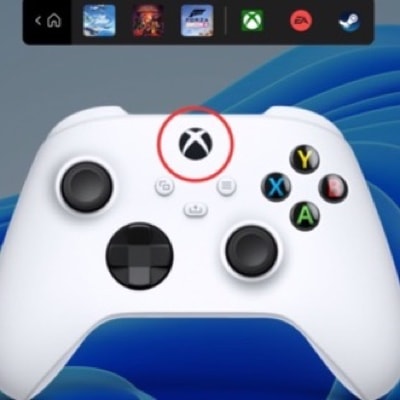
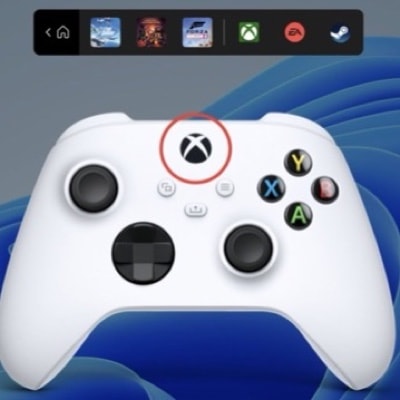
We aligned on a design that would surface as soon as a controller is connected, and again when the Xbox button is pressed. Controller Bar shows the three most recently played games, followed by recently used launchers. It sits within Game Bar but acts as a lightweight, fast entry point, bridging Windows Shell and Xbox services. Inspired by the Pen Menu, we saw an opportunity for a contextual surface that appears only when relevant — quick access to high-intent actions without interrupting the broader experience.
I explored multiple design models and interaction flows, including persistent vs. contextual launchers and controller-to-keyboard fallback navigation. I also worked with the Design System team to bring Game Bar closer to Fluent Design.
Two rounds of user research validated the MRU-first approach. Players valued resuming play with minimal input, found the Xbox button trigger intuitive, and preferred clarity over customization. Those insights informed layout, interaction feedback, and the transition into Game Bar.
Dev handoff and selfhost
To ensure a smooth handoff I created detailed redlines and accessibility specs covering layout, input behaviors, Narrator order, and visual guidance for both light and dark modes. I walked through these with engineering partners to align on interaction details and edge cases, bridging gaps between design intent and implementation.
As development progressed our team self-hosted early builds of Controller Bar to catch bugs and usability issues before broader rollout. I filed bugs directly and worked 1:1 with engineers to resolve everything from layout inconsistencies to interaction bugs.
Reflections and handheld sprint
What made this project meaningful was how it pushed me to think beyond the screen and consider how hardware and software work together. In a world where devices and app experiences often feel disconnected, closing those gaps matters — especially as Cloud experiences blur the lines between ecosystems, platforms, and form factors.
I led a parallel handheld design sprint focused on Windows gaming on third-party handheld devices. We explored how core system surfaces — Start, Taskbar, Controller Bar, the Xbox app — could adapt to smaller screens and hybrid input. I prototyped key moments including the landing page, app switching, in-game multitasking, docking behavior, and transitions between touch and controller input. These explorations helped envision how Windows could support flexible, play-first form factors, and sparked internal momentum toward a more cohesive cross-device ecosystem.
Controller Bar shipped to Windows Insiders in 2022 as a new part of Game Bar, offering a streamlined, controller-friendly way to return to play. Our team shared the design journey in a live webcast with the Windows Insider Program, inviting real-time feedback from early adopters.